
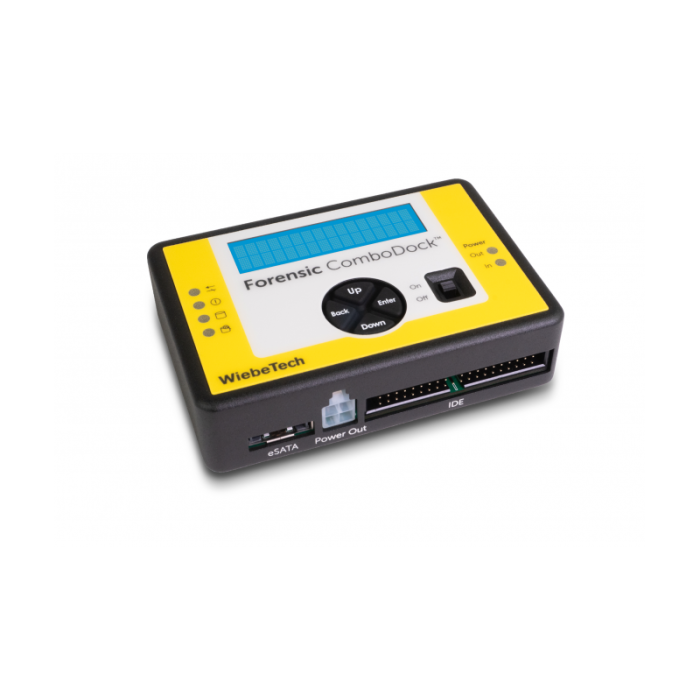
CRU Wiebetech Forensic ComboDock V6
Professional Grade Write Blocking
Digital and forensics investigators, technicians, and lawyers rely upon the WiebeTech® Forensic ComboDock™ FCDv6 to view and image a data drive without altering its contents. It’s an easy-to-use dual mode dock that provides a plethora of host and drive connections and is?compatible with forensic acquisition and analysis software.
?
Switch Between Write Blocking and Read/Write Modes
When turned on, the Forensic ComboDock FCDv6 asks you to choose either write-blocking or read/write mode. If you need to modify contents of the attached drive, switch the Forensic ComboDock into its temporary read/write mode.
?
Uncompromisable Write Blocking
It's impossible to unintentionally turn off write-blocking. Each time you turn the?Forensic ComboDock FCDv6 on, it asks you if you want to boot into Write-Blocked or Read/Write mode. This prevents you from compromising your evidence, which could occur on other write blocking products if you forget to change the mode back to write blocking.
?
Detect and Remove Hidden Areas
You can detect, remove, or modify Host Protected Areas (HPAs), Device Configuration Overlays (DCOs), and?Accessible Max Address Configurations (AMAs) that may be hiding additional data on the suspect drive.?The LCD menu makes such actions easy—there are no complicated DIP switches to set.
?
Drive Information at Your Fingertips
Quickly access selected important SMART data such as hours used, number of power cycles, and disk health. It can also display the model and serial number reported by the attached drive's firmware.?Free downloadable software?can also allow you to view this information on your computer and save it to a file for easy inclusion in a case report.?
?
Effortless Drive Connections
The Forensic ComboDock FCDv6's drive connector enables automatic alignment and easy insertion. Then attach it to your computer via its orientation-free USB-C connector.?
?
Wide Drive Support Available
The?Forensic ComboDock FCDv6 works natively with the most common types of hard drives and SSDs like IDE/PATA and SATA. But if you need to work with a non-standard drive there are a variety of adapters available for additional flexibility.
?
Additional features:
- Compatible with forensic acquisition and analysis software
- Rugged aluminum construction
- 3-year warranty
- Free US-based customer support
Included Items
- AC adapter & power cord
- USB Type-C cable
- USB Type-A to Type-C cable
- SATA drive attachment cable
- IDE drive cable
- Molex MiniFit to legacy power cable
- Quick Start Guide